
MyGenMobile App
Gen MobileEvents
4.51.53K Reviews
- Version
- 2.1.9
- Installs
- 100.00K
- Age Rating
- Everyone
Screenshots
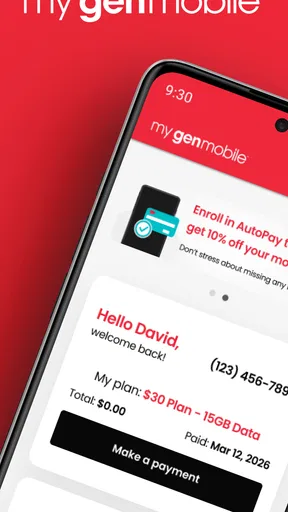
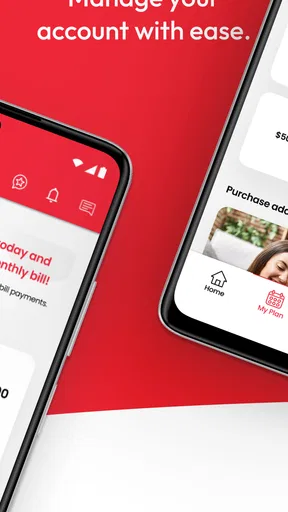
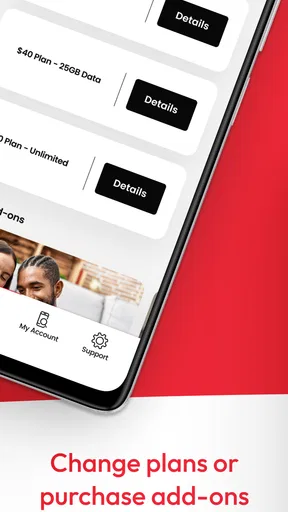
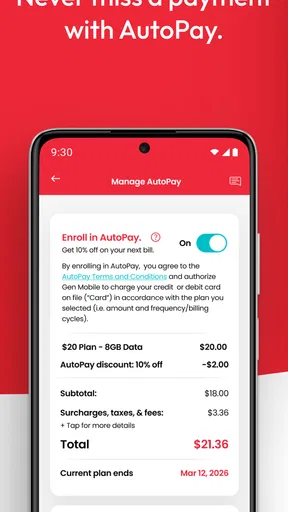
Our Review of MyGenMobile App
 Analysis by Appyee
I approached MyGenMobile as an everyday events app rather than something I would open for entertainment on its own. Its value depends on whether it makes event-related tasks easier at the moment I need them. After spending time with it, my impression is that the experience is straightforward, but it rewards a little patience during setup. The app is free, aimed at Everyone, and comes from Gen Mobile, so it feels designed for broad access rather than for a specialist audience.
The most useful way to judge it is not by asking whether it replaces every event tool, but whether it gives you a smoother place to handle the parts of event participation that otherwise become scattered. I found it most appealing when I wanted one focused mobile experience instead of jumping between messages, browser pages, and general-purpose calendar tools. The latest store summary points to a smoother experience and more data in April 2026, which fits the general direction of the app: practical improvement rather than a dramatic change in purpose.
Where people are most likely to get stuck
The first point of friction is knowing what the app expects from you before you begin. A short name such as MyGenMobile does not explain the complete workflow by itself, and the brief store description is equally minimal. That means a new user may open it expecting a complete event marketplace, a ticket wallet, or a general calendar, while the useful experience may depend on the particular event information available inside the app.
I recommend opening it with a specific task in mind. For example, if you are checking details for an upcoming event, start there instead of exploring every screen at random. This makes it easier to tell whether the app is helping with discovery, event information, or follow-up actions. It also prevents a common mistake: assuming that any missing detail is an app failure when it may simply not be part of the event information being shown.
Another possible stumbling block is the difference between an app that displays information and an app that manages your entire schedule. I would not treat MyGenMobile as an automatic replacement for the calendar already on your phone. A calendar is better for blocking out travel time, adding personal reminders, and combining work with appointments. MyGenMobile makes more sense as the event-focused layer you check before transferring the important details into your normal routine.
That distinction matters in real life. If I am preparing for an event next week, I want to inspect the event information first, then create my own reminder separately. Relying on memory after viewing an event once is an easy way to miss a start time or forget preparation. The app can be useful without being the only place where I keep the information.
Recognizing a loading or access problem
When an event page seems incomplete, I first separate three possibilities: the app may still be loading, the information may not be available in the current view, or the phone may be having a connection problem. Tapping repeatedly is rarely helpful. I get a clearer result by waiting briefly, returning to the previous screen once, and opening the item again.
If the same problem affects several areas, I check whether other apps can connect normally. This simple comparison is more useful than immediately reinstalling MyGenMobile. If other services are also slow, the likely issue is the phone’s connection or a temporary network interruption. If only this app is affected, restarting it is a sensible next step before changing anything more complicated.
I also avoid judging the app from a single failed attempt. Event information can be time-sensitive, and a temporary interruption can look like a missing feature. My rule is to try the same action again after closing and reopening the app, then check whether the issue is limited to one item or appears everywhere.
Setup checks that save time later
MyGenMobile runs on Android devices using version 7.0 or later, which covers a wide range of phones but still makes the operating-system check worthwhile. Before troubleshooting, I confirm that the phone meets that basic requirement and that the app has finished installing properly. A device that is technically compatible can still behave poorly when storage is nearly full or when the operating system is waiting for a restart.
I prefer to complete setup while I have a stable connection rather than during the rush immediately before an event. That gives the app time to load its current information and gives me a chance to notice whether the phone is blocking an essential step. It also avoids confusing a weak connection with a problem in the event content itself.
Keeping the app current is another practical check. The current version is 2.1.7, and using the available current release is generally the best starting point when investigating a problem. Updates can change how screens behave, so advice based on an older installation may not match what appears on your phone. After updating, I close and reopen the app instead of assuming the change is active immediately.
There is also a useful distinction between an update problem and an account or session problem. If the app opens but behaves as though it has forgotten the context I was using, I first restart it and revisit the relevant event. I would not clear app data as an opening move, because that can remove locally retained information or force me through setup again. More disruptive troubleshooting should come only after the simple checks have failed.
A sensible first-use routine
My preferred routine is deliberately boring. I install the app, open it on a reliable connection, look for the event or information I actually need, and then repeat that action once before I depend on it. This test reveals more than browsing through every menu because it mirrors the way I will use the app later.
For an event that matters, I also write down or save the details I personally need outside the app. This is not a criticism of MyGenMobile; it is good event planning. Phones lose signal, batteries run low, and apps occasionally need maintenance. Keeping the key time, location, or instruction in a separate personal reminder gives me a backup without requiring duplicate daily work.
Families may find this especially helpful. Since the content rating is Everyone, the app is positioned for a broad audience, but that does not mean every member of a household will use it in the same way. One person can check the event information while another keeps the practical reminder in a calendar or notes app. That division is often easier than trying to make one app handle every responsibility.
What the numbers suggest about confidence
The app has an average rating of 4.4 from around 3.3 thousand ratings, with roughly 1.4 thousand written reviews. I read that as a sign that many users find the basic experience worthwhile, while still leaving room for individual differences in expectations and setup conditions. Ratings are useful context, but they cannot tell me whether the app fits my exact event workflow.
Its install count is above 100 thousand, which gives it a meaningful user base without making popularity a substitute for testing. I would use those figures as reassurance that the app is established enough to consider, not as proof that it will solve every event-related need on every phone.
Recovering when a workflow breaks
The most reliable recovery method is to reduce the task to one action. If I cannot reach an event, I return to the app’s starting point and try to open that event again. If the screen opens but a detail seems wrong, I compare it with the information I originally expected rather than repeatedly refreshing. This helps identify whether the issue is navigation, loading, or the content itself.
I also take note of when the problem occurs. A failure that happens only on mobile data points toward a connection difference. A failure that appears after leaving the app open for a long time may be solved by closing and reopening it. A failure that remains after a fresh launch and affects several items deserves a more cautious approach, such as checking for an available update or restarting the phone.
One non-obvious habit that helps is avoiding several changes at once. If I update the app, clear its data, change network settings, and restart the phone together, I will not know which action helped. I make one simple change, repeat the same task, and only then move on. That is slower for a minute but much faster when the problem returns.
Another useful trade-off is deciding when to use a browser or a normal calendar instead. If I only need a quick reminder, entering it directly in my calendar may be faster. If I need to inspect event-specific information, MyGenMobile is the more logical starting point. Switching tools is not failure; it is choosing the right tool for the part of the job that needs doing.
Handling an event at the last minute
Imagine I am leaving work for an event and open MyGenMobile to confirm the details. If the app is slow, I do not spend several minutes experimenting while standing outside. I try a fresh launch, check the connection, and then use the information I already saved in my personal reminder if the app still does not respond. This workflow protects the event itself from becoming a troubleshooting exercise.
For that reason, I would inspect important information before the day of the event. I can then identify whether the app is useful for my particular situation while there is still time to make a backup plan. The best mobile event tool is not necessarily the one with the most screens; it is the one that leaves me prepared when conditions are less than perfect.
When the app is not the cause
It is easy to blame an event app when information looks outdated or incomplete, but the source of the information may be the real limitation. MyGenMobile can present what is available to it, yet it cannot make an organizer’s last-minute change clearer than the underlying event details allow. If something conflicts with a message from the organizer or venue, I verify the important point through the most direct official communication available.
The same applies to location problems. If I can see an event but cannot reach the venue, the issue may be maps, permissions, signal, or the address itself rather than MyGenMobile. I use a dedicated mapping app for navigation and treat the event app as the place to understand the event context. Separating those jobs makes the overall process more dependable.
Phone performance can also create misleading symptoms. An older device that is low on storage, running many apps, or overdue for a restart may make any modern app feel unreliable. Before concluding that MyGenMobile is defective, I test whether the phone behaves normally elsewhere. This is particularly important because the minimum operating-system requirement is only one part of practical compatibility.
Notifications and reminders are another area where expectations should stay realistic. I would not assume that viewing an event automatically gives me every reminder I want. I create my own calendar entry for travel time, preparation, and arrival. That small step gives me control over the schedule instead of depending on a single event-focused app to remember my personal plans.
Who will appreciate it most
I see MyGenMobile working best for people who want a focused way to check event-related information without building a complicated system. It suits occasional attendees, families coordinating a shared outing, and users who prefer a dedicated app over searching through old messages. The free price also makes it easy to try without committing money before you know whether its workflow matches your habits.
It is less suitable for someone looking for a full personal organizer with deep task management, detailed travel planning, or a unified calendar for work and home. Those users may be happier with a calendar suite or a broader event platform. I would also hesitate to make it my only source of critical information until I had tested it with the specific events I attend.
The developer, Gen Mobile, has kept the product identity simple, and that simplicity is both a strength and a limitation. I do not have to learn a large productivity system just to check event information, but I also should not expect the app to replace every tool around it. Its best role is a focused companion, not an all-purpose command center.
My practical verdict after using it
MyGenMobile is worth trying if you want a free events app with a broad Everyone rating and a focused mobile experience. I like it more when I treat it as one part of an event routine: use it to inspect the relevant information, confirm that it loads correctly, and place the important personal reminders somewhere I control.
The app earns its place through convenience, not through replacing calendars, maps, messages, and organizer updates. Its 2.1.7 release is the sensible version to start with, and the stated April 2026 improvements suggest attention to smoother use and richer information. Still, a smoother interface cannot remove every dependency on connection quality, phone condition, or the completeness of event details.
My recommendation is simple: install it before you need it, test one real event, and keep a lightweight backup for anything time-critical. If that trial fits naturally into your routine, the app can reduce the small bits of event-related friction that otherwise spread across several tools. If you need a powerful all-in-one planner, a standard calendar or broader event service will probably serve you better. For focused event checking on a compatible Android phone, though, MyGenMobile is a sensible and low-risk option.
Privacy and Permissions
See what permissions an app requests and how it handles your data.
- Phone
- directly call phone numbers
- Photos/Media/Files
- read the contents of your USB storage, modify or delete the contents of your USB storage
- Storage
- read the contents of your USB storage, modify or delete the contents of your USB storage
- Other
- view network connections, full network access, run at startup, control vibration, prevent device from sleeping
Verdict
Strengths of MyGenMobile App
- Simple mobile account management from one place.
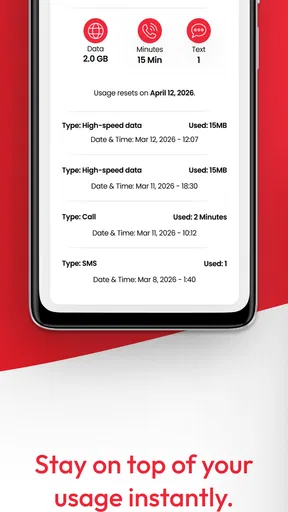
- Quick access to usage details and plan information.
- Helpful tools for monitoring data and minutes.
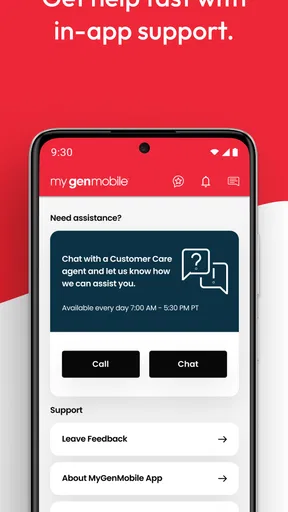
- Convenient support options for existing customers.
- Clean layout makes common tasks easy to find.
Limitations of MyGenMobile App
- Some features may require an active MyGenMobile account.
- Availability of options can vary by plan or region.
- Occasional sign-in issues may interrupt access.
- Limited value for users who are not Gen Mobile customers.
- App performance may depend on a stable internet connection.
Similar Picks in This Category
View All
Easy Quran Mp3 Audio Offline
Muslim Worldapp4.7

Invitation Maker: Cards & RSVP
Greetings Island4.9

StubHub - Live Event Tickets
StubHub4.3

Fever: Events & Tickets
Fever Labs4.7

Epic Freebie Games Radar
Arioch Pds - Apps & Games4.4

Invitation card Maker, Design
Splendid App Maker4.9
Frequently Asked Questions
What is the MyGenMobile app used for?
MyGenMobile is designed to help users manage their mobile service from one place. Depending on the account and carrier features available, you can typically review your plan, monitor data usage, check billing information, make payments, manage account details, and access support. The exact tools may vary by region, subscription, or the mobile provider connected to your account.
Can I use MyGenMobile to check my data balance and account usage?
Yes, one of the most useful reasons to install MyGenMobile is to keep track of your mobile service usage. After signing in, the app may show remaining data, talk time, text messages, renewal dates, or other plan information. Usage figures can sometimes be delayed, so the app should not always be treated as an instant, second-by-second measurement.
Does MyGenMobile allow users to pay bills or manage their plan?
MyGenMobile may provide account-management options such as viewing charges, checking payment status, making a payment, or updating selected plan settings. Available controls depend on the service associated with your account and your location. Before changing a plan or enabling an add-on, review the displayed price, renewal terms, and any possible recurring charges carefully.
Is MyGenMobile free to download and use?
The application itself may be available as a free download, but using its services normally requires an eligible mobile account or subscription. Standard mobile data charges could apply when the app is used over cellular networks, and some account actions may involve payments for your plan or additional services. Always verify pricing in the official app store and within your account.
What should I do if I cannot sign in to MyGenMobile?
If MyGenMobile does not accept your login details, first confirm that you are using the correct phone number, email address, or account credentials associated with the service. Check your internet connection, update the app, and use the password-recovery option if available. If verification codes do not arrive, review your messages and signal. Persistent problems may require contacting the provider’s official support team.
